AI TOOL / #02353
K8Studio
A Kubernetes IDE that simplifies monitoring and management.
Introduction
Kubernetes IDE for simplified monitoring and management.
What is K8Studio?
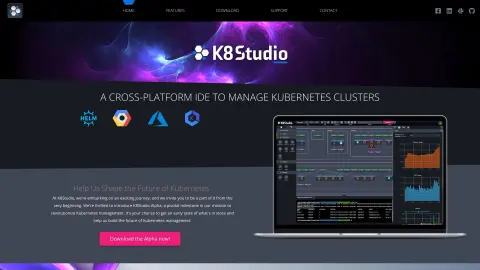
K8Studio is an integrated development environment (IDE) designed to simplify the monitoring and management of Kubernetes clusters. It features a powerful code editor, streamlined containerization tools, cluster management capabilities, and real-time debugging functions. K8Studio offers intuitive visualizations and comprehensive tools that transform complex cluster data into clear and actionable insights, helping users maintain control and efficiency throughout their work. It is compatible with major Kubernetes distributions and includes useful features such as CloudMaps, multi-cluster management, cluster overview, advanced logging capabilities, an AI assistant, a grid view, a YAML editor, and a selection overview tool.
How to use K8Studio?
To use K8Studio, please download and install it on your preferred platform. Once you open K8Studio and add your Kubernetes cluster, it will automatically read your existing .kube/config file without making any modifications to it. After that, you can explore various features such as CloudMaps for cluster visualization, a YAML editor for configuration management, and an integrated terminal for command-line operations.
The core features of K8Studio
CloudMaps is designed for intuitive visualization of clusters.
Multi-cluster management
Cluster Overview Including Key Metrics
Advanced logs used for debugging purposes
Integrated AI Assistant
The tabular display of Kubernetes objects in grid format
A YAML editor for configuration management purposes
Overview of options for detailed object information
Monitoring and measurement
Choose safety.
RBAC view
Helm view
Integrated Terminal
user permissions
Customizable docking layout
Related
Talk with GPT Extensions
A Chrome extension for conversing with OpenAI's GPT-3 via voice or text.
Two Way Voice for Bing AI
Bing AI's voice interaction capabilities enable support for voice-based questions and answers.
HelloAIBox
An AI-driven content creation studio that supports various formats, including text, audio, and images.
Nexus AI
An all-round AI platform that offers a wide range of features, including writing, audio production, research, and image generation.
TikTok Voice
AI-powered text-to-speech tool...
Voisi AI
A multi-functional AI speech and language converter that enables text-to-speech, speech-to-text conversion, as well as translation capabilities.