AI TOOL / #02660
Grok Button
A browser extension that provides quick access to Grok AI.
Introduction
A browser extension for quick access to Grok AI.
What is a Grok Button?
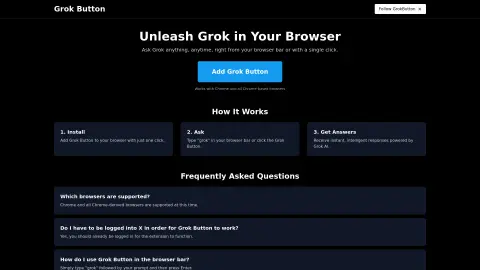
The Grok button is a browser extension that seamlessly integrates the powerful capabilities of Grok AI into your web browser. Users can submit their questions by entering “grok {your question}” in the browser address bar or by clicking the Grok button, and they will receive instant, intelligent responses.
How to use the Grok Button?
Install the Grok button extension. To use it, enter “grok” followed by your question in the browser address bar, then press Enter, or click the Grok button.
The core functionality of the Grok Button
Quickly access Grok AI from your browser.
Answer questions immediately
Integration with Chrome and Chrome-based browsers
Related
Happy Workshop
A resource site for design materials and templates, where supporting resources can be downloaded according to project category.
Sunward Notes
A note-taking platform for low-capital-intensity projects, documenting the various ways to generate revenue through the internet.
Open Culture
A comprehensive website offering free cultural and educational resources, including courses, e-books, audiobooks, and language learning materials.
Cuckoo Toolbox
A collection of online tools, covering various daily tasks such as text processing, image manipulation, and data conversion.
Cool Games Library
A resource website for PC single-player games, categorized by type and continuously updated.
Tibetan Study
Websites dedicated to the theme of collecting articles – featuring content that is truly worth preserving.