AI TOOL / #02886
Scrapybara
Remote desktop instances designed for use with AI agents, featuring a unified API and low-level control capabilities.
Introduction
Remote desktop instances for AI agents with unified API and low-level controls.
What is Scrapybara?
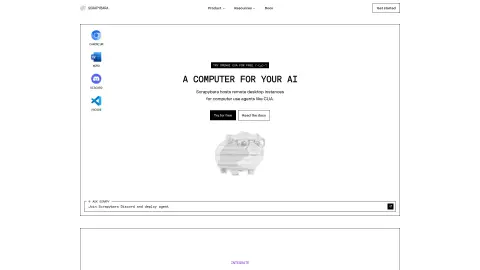
Scrapybara provides remote desktop instances for computers using proxies such as CUA and Claude Computer Use. Through a unified API, developers can use any available model to execute proxy tasks with just one line of code, and gain access to low-level controls such as browsers, file systems, and code sandboxes. Scrapybara handles automatic scaling, authentication, and system environment management, enabling users to deploy proxy queues in production environments and automate any type of computational task.
How to use Scrapybara?
Developers can use Scrapybara by installing its Python or TypeScript SDKs. After initializing the client, they can launch an Ubuntu instance and then utilize the `client_act()` method along with various tools such as ComputerTool, BashTool, and EditTool, along with a specified AI model like OpenAI, to execute automated tasks—for example, web scraping operations.
The core functions of Scrapybara
Remote desktop instances used for AI agents
A unified API that allows agents to be used with any model.
Low-level controls (browsers, file systems, code sandboxes)
Automatic scaling, authentication, and system environment management
Instantly launch a desktop instance.
Browser capabilities, code execution abilities, and file system functionality
Hundreds or thousands of instances can be launched within milliseconds.
Low latency in computational operations
Interactive streams for monitoring and control
Authenticated access is required to save and load website content.
Session persistence enables the suspension and resumption of instances.
Related
Let’s watch dramas together.
A website dedicated to searching for and sharing online video resources, covering short dramas, American shows, British series, Korean dramas, Japanese dramas, movies, and variety shows. Claims to be free of ads.
Film Hunter
The official website of the Movie Hunter client offers downloads for Android, iOS, and Windows devices, and features a system that recommends movies based on users' preferences.
Joyful Notes
A blog sharing experiences in self-media operations, focusing on strategies for attracting traffic and the breakdown of various projects.
Popular Book Site
A website that offers online access to the Complete Works of the Twenty-Four Histories and other ancient Chinese texts.
National Smart Education Platform for Primary and Secondary Schools
The official platform for primary and secondary school curriculum resources offers free access to courses that are synchronized with the textbooks.
WindowSwap
Randomly viewing the views outside windows captured by netizens around the world.