AI TOOL / #03325
StudyBotPro
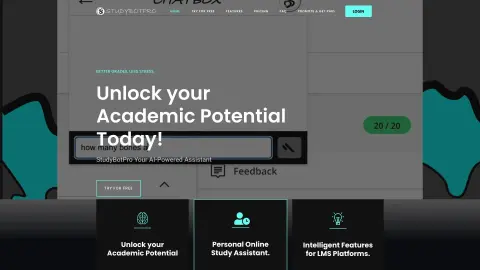
An artificial intelligence learning assistant with instant feedback, practice and real-time assistance.
Introduction
AI-powered study assistant with features for instant feedback, practice, and real-time assistance.
What is StudyBotPro?
StudyBotPro is an AI-powered study assistant designed to enhance the learning experience. It offers features like web page highlighting for instant feedback, snapshot analysis of images, live chat box assistance, study mode practice questions, and one-click solutions. Its goal is to help students reduce stress and achieve better grades through intelligent features.
How to use StudyBotPro?
To use StudyBotPro, install the Chrome extension, open an assignment or quiz on a supported web page or learning management system, and start using the software. Choosing the multiple choice question solver will guide you towards academic success.
StudyBotPro Core Features
Web page highlighting: Provides instant feedback on highlighted text.
Snapshot: Analyze images and get feedback.
Chat box: Live assistance and in-depth discussions.
Study Mode: Exam Preparation Practice Questions.
One-click selection: quick answer options.
Related
RapidChart.ai
An AI-based tool for generating technical diagrams from text.
Vizzy
An open-source tool for rapid data visualization, based on ChatGPT.
Arcwise AI
AI analyst for Google Sheets using data understanding and analysis tools powered by ChatGPT.
Julius AI – Analyze Google Sheets with ChatGPT
An artificial intelligence data analysis tool designed for use with Google Sheets.
Onvo AI
Onvo AI: An AI-powered platform for building and embedding dashboards and reports.
Chat2CSV
A data visualization platform that converts CSV data into charts through natural language processing.