AI TOOL / #04064
Leo Page Assistant
A Chrome extension designed to provide instant AI-generated answers to web pages.
Introduction
Chrome extension for instant, AI-powered answers about webpages.
What is the Leo Page Assistant AI Chrome extension/plug-in?
Leo Assistant is a Chrome extension that provides instant AI-driven insights and answers for any web page you are viewing. It helps users conduct research, learn new information, and satisfy their curiosity by delivering accurate and relevant content directly within the browser.
How to use the Leo Page Assistant AI Chrome extension/plug-in?
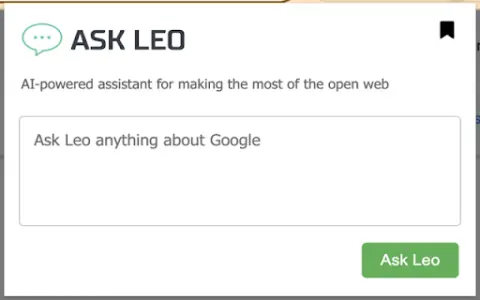
1. Browse to any web page you wish.
2. Click on the Leo Assistant icon.
3. Enter your question in the text box.
4. Click “Ask Leo” to receive your answer.
The core functionality of the Leo Page Assistant AI Chrome extension/plug-in
Instant answers
Replies that are relevant to the context.
User-friendly interface
Operations that focus on protecting privacy
Wide compatibility
Related
RapidChart.ai
An AI-based tool for generating technical diagrams from text.
Vizzy
An open-source tool for rapid data visualization, based on ChatGPT.
Arcwise AI
AI analyst for Google Sheets using data understanding and analysis tools powered by ChatGPT.
Julius AI – Analyze Google Sheets with ChatGPT
An artificial intelligence data analysis tool designed for use with Google Sheets.
Onvo AI
Onvo AI: An AI-powered platform for building and embedding dashboards and reports.
Chat2CSV
A data visualization platform that converts CSV data into charts through natural language processing.