AI TOOL / #06057
Obiklip
A video editor for presentation content, featuring automatic transcription and editing capabilities.
Introduction
Video editor for speech content with auto-transcription and clip creation.
What is Obiklip?
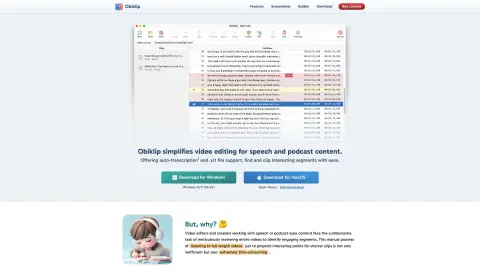
Obiklip simplifies the video editing process for presentations and podcast content. It offers automatic transcription and support for .srt files, making it easy for users to locate and edit interesting segments. Suitable for both Windows and macOS, Obiklip makes video review, identification of key moments, and creation of engaging short clips much more straightforward by automatically transcribing the video content and providing a navigable text list.
How to use Obiklip?
Obiklip automatically transcribes the content of your videos, generating a navigable list of text. You can quickly browse this transcript to identify key topics and interesting segments, mark the beginning and ending points of these sections, and then use this information to create shorter videos.
The core functions of Obiklip
automatic transcription
The .srt file format is supported.
Navigable transcription text
Simple and easy video editing process
Audio preview
Batch export
Related
Transcript LOL
Quickly and accurately convert audio/video content into text, summaries, and insights.
SoundType AI
An AI-powered audio and video transcription service that offers summary generation and collaboration features.
Dictate4Me
Real-time audio transcription applications enable the rapid conversion of speech into text offline.
ecango.com
Ecango is an AI-based tool that enables fast and accurate transcription and translation of both audio and video content.
Shine AI
Shine automatically converts spoken words into text, eliminating the need for typing or dictating.
Voice To Notes
AI-powered tools that convert speech into editable notes in multiple languages.