AI TOOL / #06135
Ask Screenshot for ChatGPT
Improve ChatGPT productivity by analyzing screenshots and selected text.
Introduction
Enhances ChatGPT productivity by analyzing screenshots and selected text.
What is the Ask Screenshot AI Chrome extension/plugin?
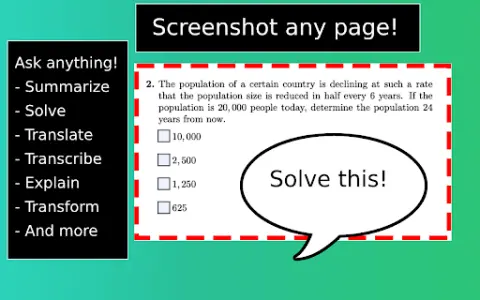
Ask Screenshot is a tool designed to improve productivity in ChatGPT, allowing users to analyze screenshots or selected text directly within ChatGPT. It offers features such as summarization, transcription, and translation, making it easier to extract information and process content from visual and textual sources.
How do I use the Ask Screenshot AI Chrome extension/plugin?
To use Ask Screenshot, right-click anywhere on any page and hover over Ask GPT to access the available screenshot templates. For selected text, right-click the selected text and hover over Ask GPT to view the available templates.
Core features of the Ask Screenshot AI Chrome extension/plugin
Screenshot and analyze: Take a screenshot and automatically open it in ChatGPT for analysis.
Text selection and analysis: Right-click any selected text to automatically open it in ChatGPT.
Related
Banyuetan
A current-affairs magazine site run by Xinhua, with commentary, grassroots governance and policy analysis useful for essay material.
CHSI (China Higher Education Student Information)
Official MOE platform for student status, degree records and online verification reports.
Beijing Personnel Examination (Beijing HRSS)
Official Beijing site for municipal civil service exam notices and registration.
ChatZero
Free AI-generated text detector
Vanira
Intelligent Agent for Voice and Video Multimodal Services
UI Verify
Visual regression testing for programming intelligent agents