AI TOOL / #06524
Speak based on Azure Speech
Text-to-speech extension using Azure Speech with support for multiple languages and Chrome live subtitles.
Introduction
Text-to-speech extension using Azure Speech, supports many languages and Chrome Live Caption.
What is Azure Speech TTS Extension ai chrome extension/plugin?
This is a text-to-speech (TTS) extension that leverages the Azure Speech service to convert selected text to audio. It supports multiple languages and integrates with Chrome's Live Subtitles feature for enhanced accessibility. Users need to configure the extension using their Azure Speech Service API key to enable TTS functionality.
How to use Azure Speech TTS Extension ai chrome extension/plugin?
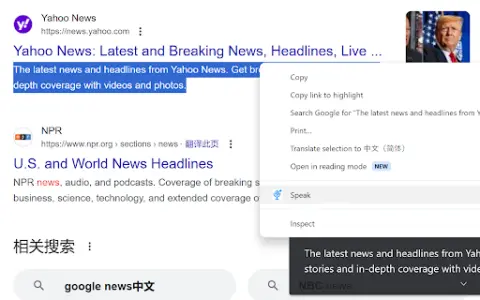
Install the extension, configure it with your Azure Speech Service API key, select text on a web page, and use the extension to play audio for the selected text. Audio playback will be based on the selected language and voice settings.
Core features of Azure Speech TTS Extension ai chrome extension/plugin
Text-to-speech using Azure Speech Service
Support multiple languages
Integrate with Chrome Live Subtitles
Configurable voice settings
Related
Peridot AR Tamagotchi
Online store for Pokemon GO and Niantic merchandise, as well as Peridot game information.
Tipsy
The AI Bar is designed to help users explore their imagination and desires, and it offers various categories as well as filtering options.
Tangia
Interactive live streaming tools enhance the sense of engagement in conversations by providing features such as custom TTS and reminders.
sceneXtras
SceneXtras is a GPT-enhanced streaming companion for chatting with AI characters.
Superchat – AI Virtual Chat
AI chat applications enable users to connect with experts, historical figures, and fictional characters.
CallStar
An AI voice call platform that enables conversations between users and AI characters as well as famous individuals.